Tagged Release Lane
Use this when publishing a GitHub Release with a validated clean source archive.
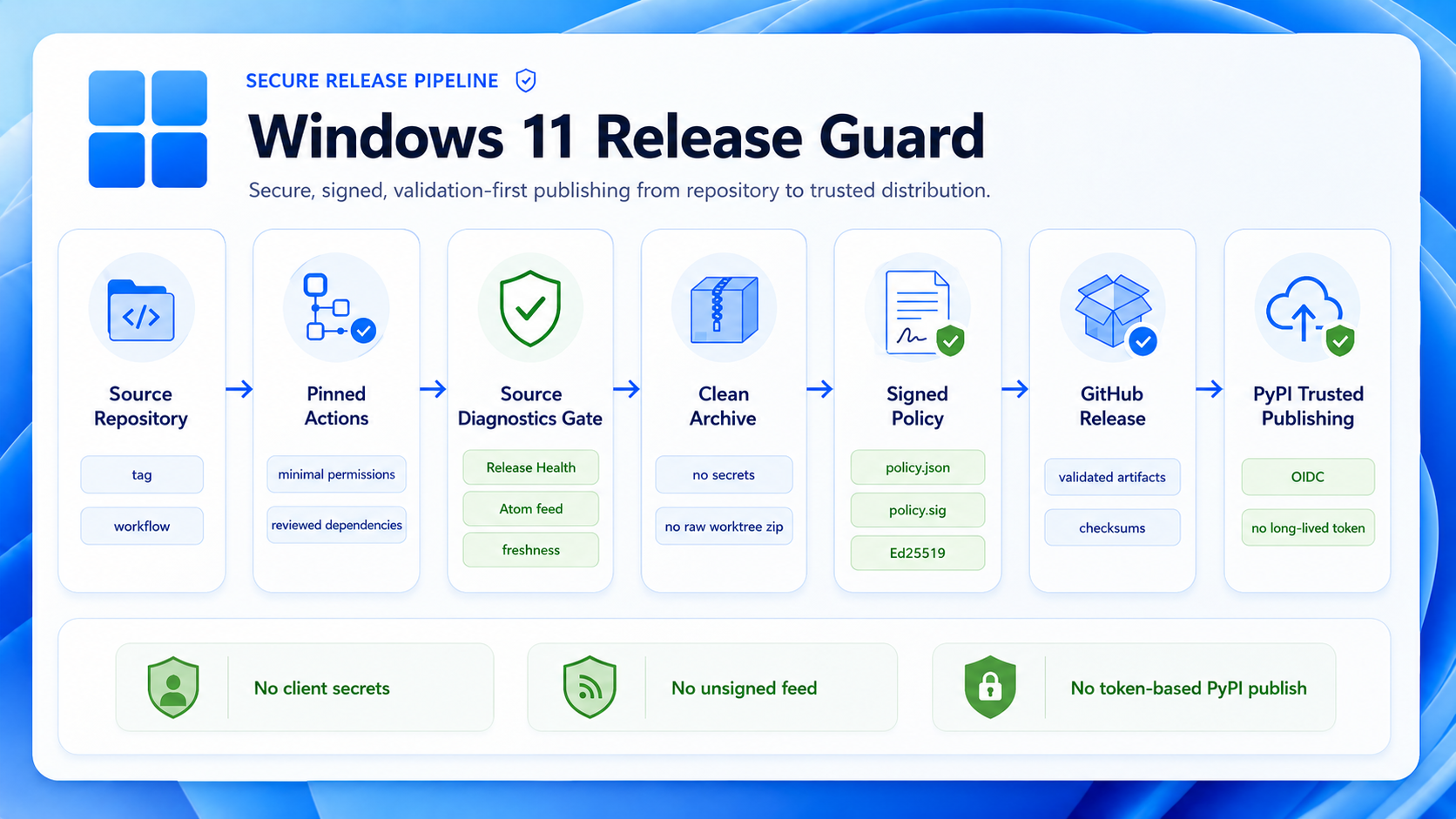
Release Contract
| Item | Rule |
|---|---|
| Workflow | .github/workflows/release.yml |
| Tag | vX.Y.Z, matching package/runtime version |
| Artifact | dist/win11_release_guard-source.zip |
| License | LICENSE.txt carries the repository GPL-3.0 text and is included in the clean source archive. |
| Default state | Draft release |
| Release body | Links changelog, detailed release notes, Pages dashboard, Pages Wiki, Pages changelog, public feed, and the separate PyPI lane |
| Token | Built-in GitHub token only |
| Pages / Wiki | Tag pushes trigger the separate GitHub internal Wiki sync lane only. release.yml does not deploy Pages or mutate the Wiki. Pages refresh stays in publish-policy.yml from main, schedule, or manual dispatch. |
| PyPI | Separate .github/workflows/pypi-publish.yml lane; no normal push or pull request publishing |
Checklist
| Step | Action |
|---|---|
| 1 | Confirm version parity with tools/check_version_consistency.py. |
| 2 | Run tests and source checks. |
| 3 | Create or select the exact vX.Y.Z tag. |
| 4 | Run release workflow; tag pushes also trigger the separate Wiki sync lane. Verify the main Pages publish run or manually dispatch publish-policy.yml from main when Pages needs a release refresh. Tag pushes do not deploy Pages. |
| 5 | Review draft release and attached archive. |
| 6 | Publish to PyPI separately only when explicitly intended. |
PyPI Trusted Publishing
| Field | Value |
|---|---|
| Project name | win11_release_guard from pyproject.toml |
| PyPI project | https://pypi.org/project/win11-release-guard/ |
| Owner | Avnsx |
| Repository | win11_release_guard |
| Workflow | pypi-publish.yml |
| Environment | pypi |
pypi-publish.yml builds wheel/sdist in generated dist/ and runs Twine checks on every manual run. Manual dispatch without a tag is build-only; manual dispatch with an existing vX.Y.Z tag, or a published GitHub Release, checks out the tag and can publish through GitHub Actions OIDC with id-token: write. The PyPI workflow is separate from release.yml and owns its own gates, artifact handoff, and pypi environment approval. Do not add PyPI API tokens, Twine credentials, or credentialed repository URLs. If the project does not exist, configure a Pending Trusted Publisher first; it does not reserve the name. A successful PyPI release enables python -m pip install win11_release_guard.
Commands
python tools/check_version_consistency.py
python tools/export_clean_archive.py --output dist/win11_release_guard-source.zip
python tools/export_clean_archive.py --validate dist/win11_release_guard-source.zip
python -m build
python -m twine check dist/*
Do / Do Not
| Do | Do not |
|---|---|
| Attach only validated clean archives. | Attach raw worktree ZIPs. |
| Keep policy feed publishing in the Pages workflow. | Use release workflow for scheduled feed publication. |
Keep GitHub internal Wiki sync in sync-wiki.yml. | Push Wiki changes directly from release.yml. |
| Keep PyPI publishing OIDC-only. | Commit dist/ or add PyPI credentials. |
| Keep release notes factual. | Hide failed gates or skipped live checks. |
Related Pages
Home | Build, Test and Release | Safe Exports and Clean Archives